365 for Kids Create & Share Portal
Create. Share. Celebrate.
The 365 for Kids Create & Share Portal is a year-round space for celebrating children’s artwork, writing, reflections, and creative projects.
Partner organizations can present work developed through their local activities, while parents and legal guardians can submit selected child-created work for review and possible publication in the Family Community Gallery.
Together, these pathways give children’s creativity a meaningful and lasting audience, turning individual work into part of a shared cultural and educational experience.
Why Sharing Matters
Creating is important, but being seen can give a child’s work a deeper sense of purpose. When an idea, artwork, story, reflection, or recording is shared safely and respectfully, the child can experience recognition, belonging, and the feeling that their voice matters.
Public visibility can encourage children to continue creating, strengthen their confidence, and inspire other children to express their own ideas. It also allows families, educators, and communities to recognize and celebrate children’s effort, imagination, and growth.
In the 365 for Kids model, SHARE is not an extra step added at the end. It completes the learning journey. Children encounter ideas, transform them into original work, reflect on what they have created, and present it to a real audience.
The goal is recognition and celebration—not comparison or competition. All public sharing is optional and takes place only with the appropriate adult permissions and privacy protections.
One Portal. Two Trusted Ways to Share.
The Portal uses two different publication pathways so that organizations and families can participate in a way that is practical, responsible, and appropriate for them.
For Partner Organizations
Libraries, schools, homeschool communities, afterschool programs, nonprofit organizations, cultural centers, and other participating organizations can receive a dedicated Community Showcase page.
Authorized representatives with verified portal access will be able to upload selected child-created work directly to their organization’s Showcase after confirming that the required permissions have been obtained.
Each organization can share its Showcase page with participating families and the wider community.
Host an Activity → Select Work → Confirm Permissions → Publish to Your Showcase
For Families
Parents and legal guardians will be able to submit selected artwork, writing, reflections, and photographs of child-created projects to the 365 for Kids Family Community Gallery.
Family submissions will be reviewed by 365 for Kids before they become publicly visible.
Children should not create accounts or submit personal information or creative work directly.
Submit as an Adult → 365 for Kids Reviews → Approved Work Is Published
How the Create & Share Portal Works
PARTNER ORGANIZATION PATH
Partner Organization Publishing
1. Host
The organization hosts a 365 for Kids activity or another suitable children’s creative session.
2. Select
An authorized representative selects artwork, writing, reflections, or project images that are appropriate for public display.
3. Confirm
The organization confirms that it has the required parent, guardian, and organizational permissions.
4. Publish
The authorized representative uploads the work directly to the organization’s dedicated Community Showcase.
5. Share
The organization shares its public Showcase page with families and the wider community.
Partner content will not require advance editorial approval from 365 for Kids. Participating organizations are responsible for the materials they publish and for confirming the required permissions. 365 for Kids retains the right to remove content that does not meet the Portal’s privacy, safety, publication, or technical guidelines.
FAMILY PATH
Family Submission and Review
1. Submit
A parent or legal guardian completes the Family Community Gallery submission form.
2. Confirm
The adult confirms authorship, public display information, and permission for publication.
3. Review
365 for Kids reviews the submission for privacy, suitability, technical quality, and compliance with the publication guidelines.
4. Publish
Approved work is added to the Family Community Gallery.
5. Share
The family may receive and share the public link to the published work.
Submission does not guarantee publication. Family submissions remain private until they have been reviewed and approved by 365 for Kids.
What Can Be Shared?
The 365 for Kids Create & Share Portal brings together children’s original creative work in three clear formats: visual art, writing, and audio.
Work may be created through a 365 for Kids Activity Guide, a partner-hosted program, a school or homeschool activity, or an independent family project.
Visual Art
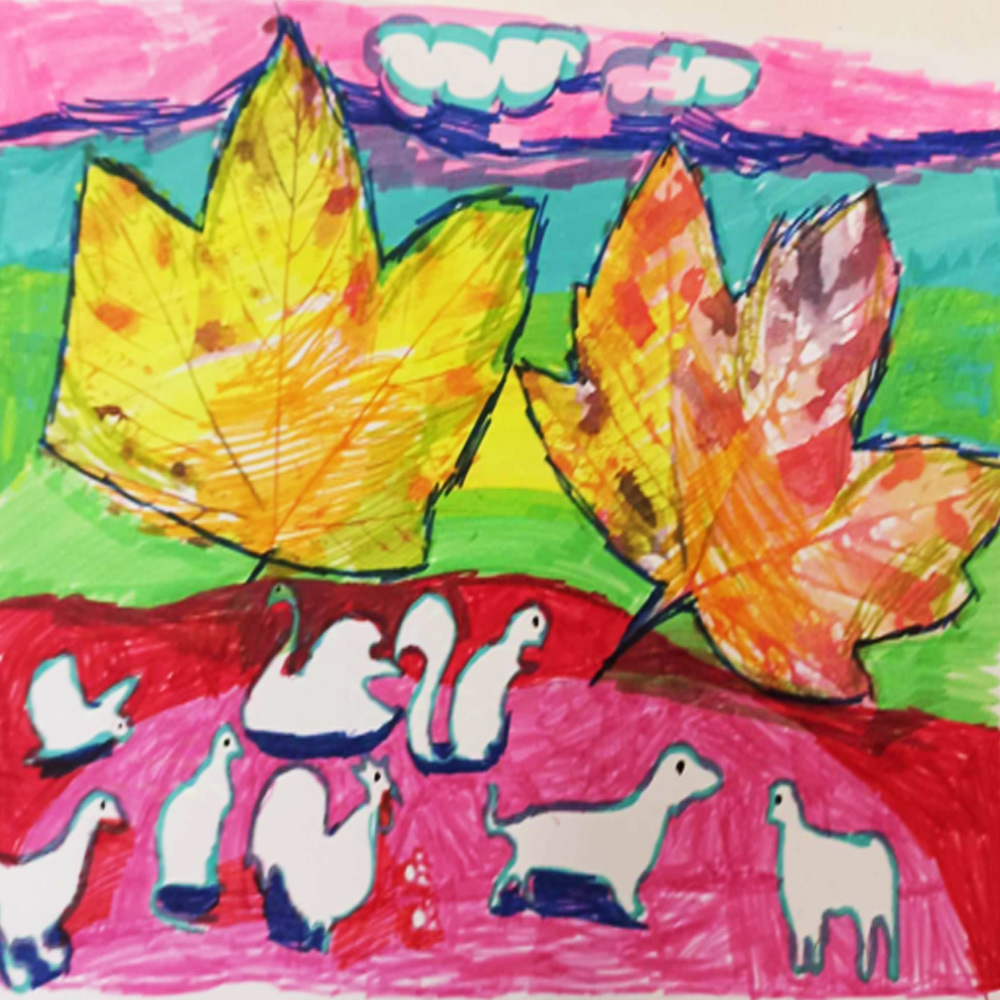
Drawings, paintings, illustrations, collages, mixed-media artwork, visual reflections, and photographs of child-created projects.
Writing
Poems, short stories, essays, letters, personal reflections, virtue-inspired writing, and other original texts created by children and teens.
Audio
Read-aloud recordings, storytelling, literary interpretations, spoken reflections, and other suitable child-created audio.

Maya R., age 9
Art Classes in Schaumburg, Illinois
A Clear and Respectful Presentation of Every Work
Published items may include:
- the title of the work;
- the child’s approved public display name;
- the child’s age or age group;
- the activity or creative category;
- the artwork, writing, reflection, or project image;
- an optional short description or child-created statement;
- the name of the participating organization, when applicable.
Full last names, personal contact information, home addresses, classroom details, and other unnecessary identifying information will not be displayed.
My Friend Was Brave
One day at recess, a new girl fell down and some children laughed. My friend Lily went to help her and said, “It is not nice to laugh when someone is hurt.”
I think Lily was brave because she looked a little scared, but she still did what was right. Then she asked the new girl to play with us.
That day I learned that courage does not always mean doing something big. Sometimes courage means being kind when other people are not.
Sofia M.
Schaumburg, Illinois
Privacy, Permissions & Responsible Sharing
Protecting children’s privacy is an essential part of the Create & Share Portal.
Partner organizations must confirm that they have the required permissions before publishing child-created work through their accounts. They are responsible for the accuracy, suitability, and public display information connected with the materials they upload.
Family submissions must be completed by a parent or legal guardian and are reviewed by 365 for Kids before publication.
Children should not create Portal accounts, upload materials directly, or provide personal contact information.
365 for Kids may edit formatting, request clarification, temporarily hide, or remove content that does not meet the applicable privacy, safety, publication, copyright, or technical guidelines.
Year-Round Sharing, Separate from the Annual Programs
Community Showcases and the Family Community Gallery operate throughout the year.
Publication through the Create & Share Portal is separate from participation in the Annual Children’s Stories & Art Exhibition, Voices from the Heart, and Pages of Virtue.
Families may still choose to submit eligible work to an annual initiative through its separate official form, permissions, dates, and participation requirements.
Give Children’s Creativity a Place to Be Seen
A story can become an artwork. A scientific idea can become a visual discovery. A meaningful moment can become a reflection worth sharing.
Through the 365 for Kids Create & Share Portal, organizations and families can help children see that their ideas, effort, and creativity matter.